


One of the most useful tools for contacting people about prospecting, recruiting, and conducting B2B outreach is through the use of email finder extensions. As traditional methods such as faxes and cold-calling have become less effective, email has taken over as the primary way for businesses to communicate with one another. Most professionals today see phone calls as a last resort, while email gives the recipient the opportunity to respond at their convenience. Thus, locating accurate emails is more important than ever within today’s business world.
With this in mind, having access to verified email addresses has become essential for success. Surereach provides users with the ability to find business emails of executives, decision-makers, and entire companies, making it easier to reach out without depending on antiquated or invasive methods, making it much more than just an email finder.
Sign up and get 20 credits for free!
We have 3 million+ contacts stored to connect you with prospects all over India
What Are Email Finders?
Email finders are a type of digital tool used to identify a person’s professional email address. B2B sellers, marketers, and any user trying to identify an individual’s professional email can utilize email finders to locate and validate the individual’s professional email address based on their name and company domain.
By providing users with accurate data, email finder extensions help to lower the rate of bounced emails by supplying valid emails for building targeted contact lists with the intent to reach the desired audience.

How Do Email Finder Extensions Work?
The process of finding an email address involves the analysis of email patterns, and the creation of email combinations based on the assigned name and domain of the individual in question. The validation of these email addresses via a check with the mail server. It also involves cross-referencing publicly available and historical records relating to the estimated existence and deliverability of each email address.
- Analyze the email address patterns:
Most companies will follow a similar email address pattern. Like:
- Verify which ones exist:
Email finders verify these email addresses by checking the email server response.
- Crawl public pages:
These finders also crawl through public pages such as official sites of the companies and social media pages where email addresses may already be visible.
- Use of historical and crowd data:
Email finder extensions can remember previously found email addresses, and reference public reports, whether the email address is correct or not.
Best Email Finder Extensions
With an abundance of email finder extensions in the market you may wonder which one is the best email finder. Our pick for the overall best one for lead generation, recruitment, contact detail verification is:
- Surereach
Surereach is a multi-purpose tool for discovering contacts. With Surereach, you can find verified business email addresses and phone numbers of professionals as well as decision-makers from many industries (via direct access to LinkedIn and various other company databases). The platform was created to automate your outreach, prospecting, recruitment, and growth processes without having to do manual searches everywhere.
Why Surereach?
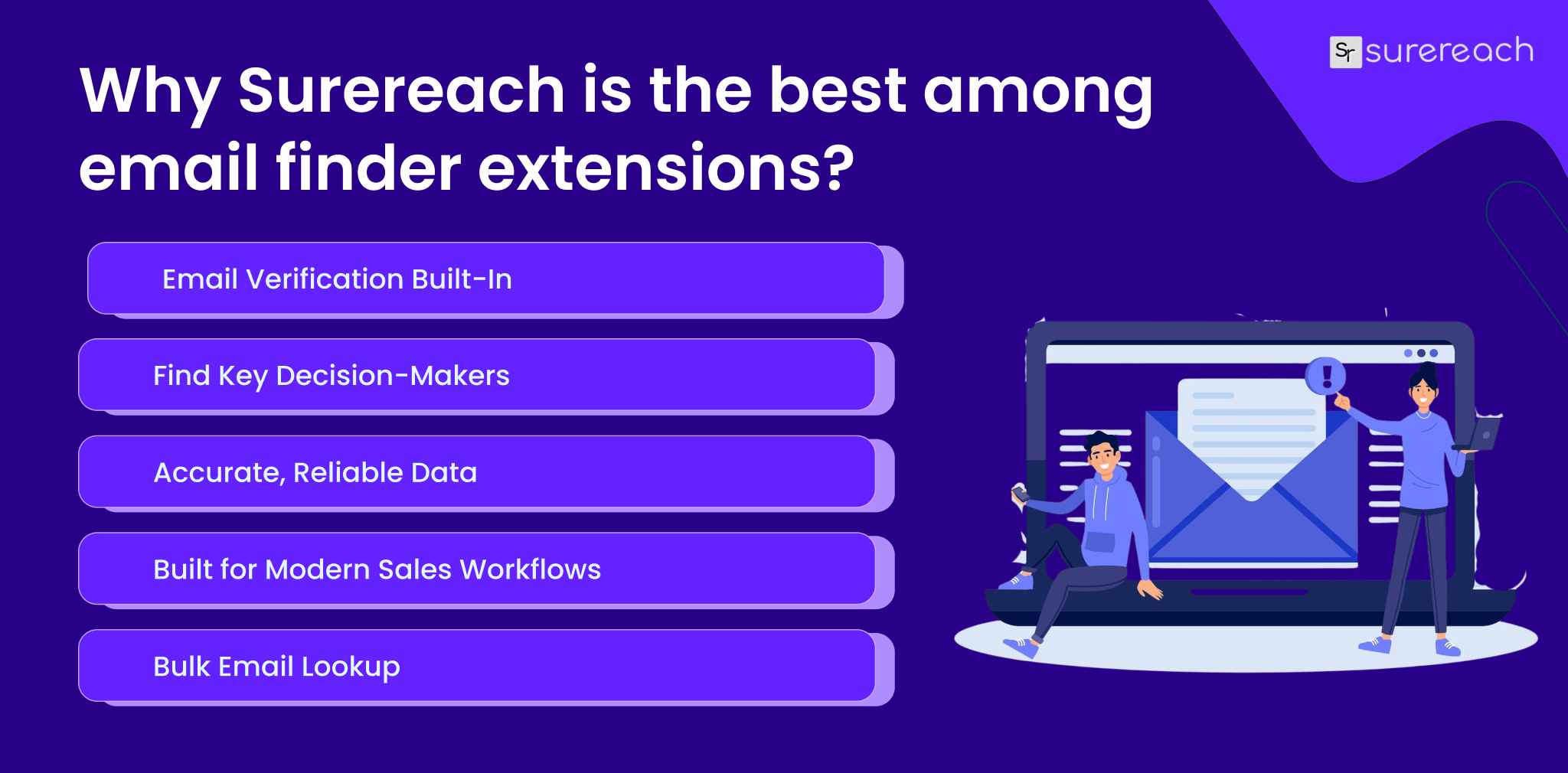
What makes Surereach the best among email finder extensions is that it doesn’t just help you find emails. It also comes with the following features of Surereach:
- Verify business email addresses to prevent hard bounces and increase email deliverability
- Track down executive decision-makers or high-value B2B prospects
- Run an authoritative email verification to verify that your email is actually legitimate and accurate prior to reaching out
- Find multiple email addresses through bulk lookup/export; perfect for building a prospecting list on scale
- Organize your leads in a manner that allows you to access your contacts and leads in a structured and measurable manner
- Design that fits with the pace of the modern salesperson and recruiter’s daily workflow.
Surereach Vs Other Email Finders
| Feature / Capability | Surereach | Typical Email Finder Extensions |
| Verified Business Emails | ✔ Yes – focuses on verified, deliverable business email addresses | ⚠️ Limited or inconsistent verification |
| Bounce Rate Reduction | ✔ Built-in verification helps prevent hard bounces | ❌ Often rely on unverified guesses |
| Executive & Decision-Maker Targeting | ✔ Strong focus on executives and high-value B2B prospects | ⚠️ Usually surface generic or mixed contacts |
| LinkedIn Integration | ✔ Browser extension works directly on LinkedIn profiles | ✔ Available in some tools |
| Company Website Email Discovery | ✔ Finds emails from company domains and public sources | ⚠️ Limited to profile-based searches |
| Authoritative Email Verification | ✔ Verifies accuracy before outreach | ⚠️ Often requires a separate verification tool |
| Bulk Email Lookup & Export | ✔ Supports bulk lookup and exports for scaling outreach | ✔ Available, but accuracy may vary |
| Lead Organization & Management | ✔ Structured lead management for measurable outreach | ❌ Usually requires external CRM tools |
| Workflow-Friendly Design | ✔ Built for modern sales and recruiting workflows | ⚠️ Often focused only on data extraction |
| Ethical & Compliance-Focused Usage | ✔ Emphasises business-related data and responsible outreach | ⚠️ Some tools prioritise volume over compliance |
| Best Use Case | High-quality B2B outreach, recruitment, and executive prospecting | Basic email discovery or list building |
Conclusion
In today’s business world, email finder extensions are now an essential tool for modern prospecting and recruitment, or in other words, finding potential customers, clients, or job-seekers to connect with. When used correctly, email finder tools help you save time and lower the chances of your emails bouncing back by making sure that your emails go to real, valid addresses.
FAQs
Ques: Are email finder extensions accurate?
Ans: These extensions can be accurate but results vary for each tool, to ensure you get the most accurate results please research about the email finder tool you are using.
Ques: Can email finder extensions be used for LinkedIn outreach?
Ans: Yes, email finder extensions can be used for LinkedIn outreach for sales, recruitment, and networking purposes.
Ques: Do email finder extensions work for bulk prospecting?
Ans: Yes, many email finder extensions support bulk lookup and export, allowing users to find multiple email addresses at once. This is especially useful for sales and recruitment teams building prospecting lists at scale.
Ques: Who should use email finder extensions?
Ans: Email finder extensions help B2B sales professionals, recruiters, marketers, founders, and business development teams. Anyone who needs to reach specific professionals or decision-makers quickly can benefit from using an email finder extension.
Ques: What should you look for when looking for email finder extensions?
Ans: When choosing an email finder extension, key factors to consider include email accuracy, verification capabilities, support for bulk searches, workflow compatibility, and whether the tool focuses on business-relevant contact data.



Vijay kandari
Vijay Kandari is part of the marketing team, driving brand growth and digital campaigns. He is passionate about automation, digital transformation, and the evolving trends shaping the future of customer onboarding and verification.
More posts by vijay kandari